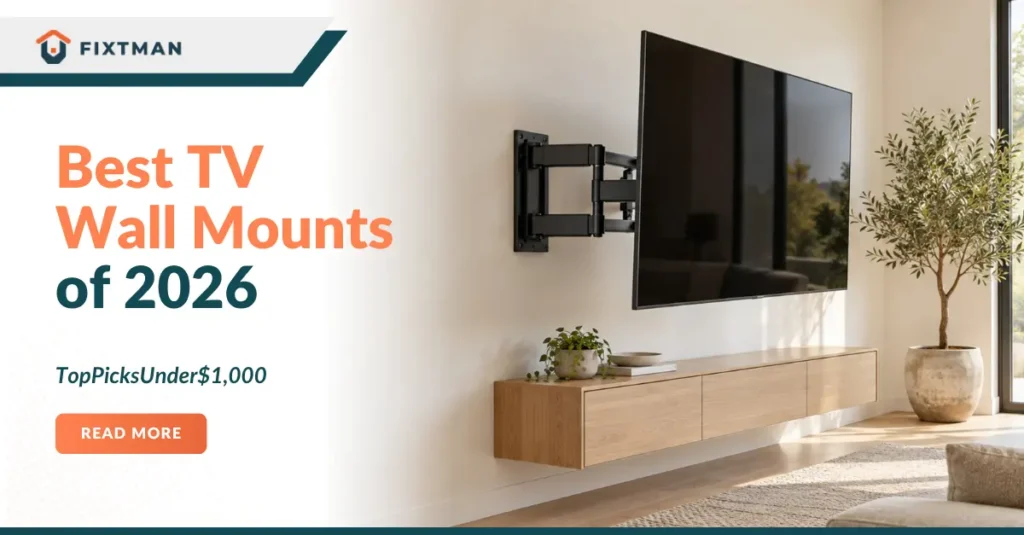

Installing a TV wall mount is one of the smartest home improvements you can make. A quality mount saves space, improves your viewing experience, and gives your living room a clean, modern look. The good news? You don’t need to spend a fortune to get an excellent TV wall mount. With the right information, you can find the perfect mount that fits both your TV and your budget.
In 2026, the TV mount market offers incredible options, and finding the best TV wall mount under $1000 has never been easier. Whether you have a 55 inch TV or a massive 85 inch screen, there’s a best TV wall mount under $1000 designed for you. This guide will help you navigate through all the choices and find exactly what you need. Let’s explore the best TV wall mounts under $1000 that deliver quality without breaking the bank.
READ ALSO: Best TVs for Mounting on the Wall for a Clean and Modern Setup
Quick Recommendations by TV Size
Choosing the right mount starts with understanding your TV size and weight. Different mounts work better for different setups, so here’s a quick reference table to get you started.
| TV Size | Best Mount TV | Recommended Model | Price Range | Key Feature |
| 32-55 inches | Full-Motion | Mounting Dream MD2380 | $40-100 | Maximum adjustability |
| 55-65 inches | Tilt Mount | Sanus VLT7 | $60-150 | Space-saving angle control |
| 65-75 inches | Articulating | EchoGear EGLL2 | $80-200 | Extended reach and flexibility |
| 75-85 inches | Heavy-Duty Full-Motion | Perlegear Heavy-Duty | $150-300 | Built for larger TVs |
This table gives you a quick starting point. Your final choice depends on your wall type, viewing distance, and how much you want to adjust your TV angle.
How to Choose a TV for Wall Mount
Selecting the right mount involves more than just picking a pretty bracket. You need to consider several important factors that affect both safety and viewing comfort. Let’s break down what matters most.
TV Size and Weight
The weight of your TV is the most critical factor when choosing a mount. Every mount has a maximum weight capacity listed on the box. Your TV’s weight is usually printed on the back or in the manual. Always choose a mount rated for more weight than your TV weighs, ideally at least 50 pounds heavier than your actual TV.
A 55 inch TV typically weighs between 40 and 50 pounds. A 75 inch TV can weigh 80 to 100 pounds. Larger TVs need heavy-duty mounts with thicker metal and stronger hardware. Buying a mount that’s strong enough ensures your TV stays safe on the wall.
Wall Type and Stud Spacing
Your wall type determines what kind of mounting hardware you need. Most homes have drywall walls with wooden studs behind them. Studs are usually spaced 16 inches apart, though some older homes have 24 inch spacing. Your mount needs to attach directly to these studs for maximum safety.
Finding your studs is simple with a stud finder from any hardware store. You’ll need at least two studs to mount a TV safely, but larger TVs benefit from three or even four studs. If your desired spot doesn’t have studs nearby, you’ll need special toggle bolts or blocking added by a professional. This is where installation services like Fixtman become valuable.
Viewing Geometry
Viewing geometry means how your eyes see the TV from your couch. The ideal viewing angle is slightly below eye level when you’re sitting down. Your TV should be mounted at a height where you look slightly downward without straining your neck. Most experts recommend mounting the center of your TV about 55 to 65 inches from the floor.
The distance from your couch to the TV also matters. A good rule is to sit at a distance equal to 1.5 times your TV’s diagonal size. So for a 60 inch TV, you’d sit about 90 inches away. This distance helps you see all the details without straining your eyes.
The Best TV Wall Mounts
Now let’s dive into the specific mounts that deliver great value under $1000. Each of these options has been tested and proven to work well for American homes.
Sanus VLT7
The Sanus VLT7 is a tilting mount that works perfectly for most living rooms. This mount is designed for TVs between 37 and 70 inches. It tilts up to 15 degrees, which helps reduce glare from windows or bright lights. The installation is straightforward, and most people can install it in under an hour.
What makes the VLT7 special is its smooth tilting mechanism. The metal construction feels solid and durable. It supports TVs up to 200 pounds, which covers most mid size TVs you’ll find today. At around $60 to $150, this mount offers excellent value for tilting functionality.
EchoGear EGLL2
The EchoGear EGLL2 is a full-motion articulating mount that extends 20 inches from your wall. This mount lets you pull your TV forward and adjust it at nearly any angle. It’s perfect if you watch from different areas of the room or want flexibility. The EGLL2 fits TVs from 32 to 70 inches and holds up to 165 pounds.
Installation requires finding studs, but the included hardware makes it straightforward. The articulating arms move smoothly, and the construction feels premium. Many customers love how this mount lets them adjust the TV angle without wall-mounted difficulties. Priced between $80 and $200, it’s an excellent mid-range option.
Sanus VLF728-B2
The Sanus VLF728-B2 is a full motion mount designed for larger TVs. It works with screens from 51 to 80 inches and supports up to 200 pounds. The arms extend 16 inches from the wall, giving you flexibility without excessive reach. The tilt range is 20 degrees, providing good angle adjustment for viewing comfort.
This mount features a locking mechanism that keeps your TV securely in place once you adjust it. The construction is heavy duty, using quality materials throughout. Installation requires careful stud placement, but it’s doable for handy homeowners. At $150 to $300, it’s a solid investment for larger televisions.
EchoGear EGLF2
The EchoGear EGLF2 combines affordability with solid performance. This full motion mount works for TVs from 40 to 80 inches and handles up to 200 pounds. The arms pull out 18 inches from the wall, giving you decent viewing flexibility. It’s lighter than some full motion mounts, making installation easier.
The EGLF2 comes with clear instructions and all necessary hardware. Most homeowners install it without professional help. The smooth articulation means you can adjust your TV angle easily. Priced around $100 to $220, this mount offers great value for full-motion functionality.
- Mounting Dream MD2380 – Best Overall
The Mounting Dream MD2380 is widely considered the best overall value in TV mounts. This full-motion mount works with TVs from 26 to 55 inches and supports up to 165 pounds. The arms extend 13.4 inches from the wall, perfect for most living rooms. It features a smooth articulation system that lets you adjust your TV in any direction.
Installation takes about 30 minutes for most people. The instructions are clear and easy to follow. The heavy gauge steel construction feels sturdy and reliable. Thousands of customers have given this mount five star reviews. At just $40 to $100, it’s an absolute steal for a quality full-motion mount.
- Amazon Basics Articulating – Cheapest Good Full-Motion
Amazon Basics makes an articulating mount that delivers excellent performance at an unbeatable price. This mount fits TVs from 26 to 50 inches and holds up to 155 pounds. The arms extend 13.4 inches, and the tilt range covers most viewing angles. It comes with all installation hardware you need.
The build quality is solid despite the low price. The articulation is smooth, and adjustments hold firmly in place. Installation is straightforward, with clear instructions included. This mount proves you don’t need to spend a fortune for good quality. At under $50, it’s the cheapest good full-motion option available.
- Pipishell Low-Profile Tilt – Budget Tilt
The Pipishell low-profile tilt mount is perfect if you want a simple, affordable solution. This mount works for TVs from 32 to 70 inches and supports up to 165 pounds. It tilts up to 15 degrees, which is plenty for most viewing adjustments. The low-profile design keeps your TV close to the wall, creating a sleek appearance.
Installation is one of the easiest of any mount on the market. The streamlined design means fewer parts and faster setup. The tilting mechanism is smooth and precise. Many people appreciate the clean look this mount creates. At $30 to $80, it’s an excellent budget-friendly choice.
- USX Mount Dual Arm – Budget Full Motion Alternative
USX Mount makes a dual-arm full-motion mount that rivals more expensive models. This mount fits TVs from 32 to 70 inches and handles up to 132 pounds. The arms extend 15.2 inches, providing solid flexibility. The construction feels sturdy despite the affordable price point.
The dual-arm design distributes weight evenly across your wall. This means better stability and less stress on individual studs. The smooth articulation lets you make fine adjustments easily. Installation requires finding studs but is straightforward otherwise. At $50 to $120, this is a quality full-motion mount without the premium price tag.
- Perlegear Heavy Duty – Best for Big TVs
The Perlegear heavy duty mount is engineered specifically for large televisions. It supports TVs from 42 to 90 inches and can hold up to 200 pounds. The arms extend 20 inches, perfect for larger living rooms. This mount is built with reinforced steel for maximum durability.
Installation requires careful attention due to the weight involved. You’ll need to find solid studs, and professional installation is often recommended. The heavy-duty construction means this mount will outlast most televisions. If you own a large TV or plan to keep your mount for many years, this is the choice. At $200 to $400, it’s a premium option justified by its capabilities.
- UL Listed Low Profile Fixed – Best Fixed Mount
For those who want simplicity, the UL-listed low-profile fixed mount is ideal. Fixed mounts don’t move or adjust, so they’re the simplest and safest option. This mount works for TVs from 32 to 80 inches and supports up to 200 pounds. The low-profile design keeps your TV just 1.5 inches from the wall.
Installation is incredibly straightforward since there’s no articulation to adjust. The simple design means fewer components and better reliability. UL-listed certification ensures safety standards are met. If you have the perfect viewing angle already, a fixed mount is perfect. At $30 to $100, it’s one of the most affordable and dependable options available.
What to Avoid When Buying TV Wall Mounts
Making smart choices means knowing what to avoid just as much as knowing what to buy. Here are common mistakes that lead to safety problems and customer disappointment.
Mounts Under $25
Extremely cheap mounts often use weak materials and poor engineering. A $15 mount might seem like a bargain until it fails and damages your wall or TV. These ultra-budget options often have plastic components where they should have metal. The weight capacity is frequently overstated on these cheap mounts.
Quality mounts cost more because they use better materials and better engineering. Saving $20 on a mount isn’t worth the risk. Your TV could be damaged, your wall could be ruined, or someone could get hurt. Spend at least $30 to $40 on a reputable brand with verified customer reviews.
Short Lag Bolts
Lag bolts are the screws that hold your mount to the studs. Short bolts don’t penetrate far enough into solid wood. They can slip out over time, especially with weight from heavy TVs. Always use lag bolts at least 2.5 inches long that penetrate at least 1.5 inches into the stud.
Many cheap mounts include undersized bolts to cut costs. This is dangerous and foolish. Always check the bolt specifications before purchasing. If your mount comes with short bolts, buy longer ones separately. This single detail can mean the difference between a safe installation and a catastrophe.
Single-Stud Mounting for Large TVs
Mounting a TV to just one stud is never safe for televisions over 40 pounds. Even if the stud is strong, one connection point is too risky. Your TV needs at least two mounting studs, and larger TVs benefit from three or four. The weight needs to be distributed across multiple points.
If your desired TV location doesn’t have two studs, don’t compromise. Either move the TV to where studs exist, or hire a professional to add blocking. Fixtman professionals can identify stud locations and recommend safe mounting solutions. Proper installation is always worth the investment.
Need Your TV Mounted? Call Fixtman
Professional installation ensures your TV mount is installed correctly and safely. While many mounts are DIY-friendly, not everyone has the tools or experience. Finding studs, ensuring level installation, and hiding cables can be challenging for first-timers. Fixtman provides expert installation services across the USA.
Our technicians arrive with all necessary tools and expertise. We’ll locate studs, install your mount securely, and hide cables for a clean look. We handle any wall type, from standard drywall to stone or tile. After installation, your TV will look perfect and be completely secure. Contact Fixtman today to schedule your professional TV installation.
Frequently Asked Questions
What’s the difference between fixed and full-motion mounts?
Fixed mounts keep your TV stationary against the wall, while full-motion mounts let you adjust angles in multiple directions.
What’s the difference between a TV wall mount and a TV bracket?
A TV mount is the hardware that attaches to your wall, while a bracket is the metal frame that holds your TV itself.
How long should a TV mount last?
A quality TV mount can last 10 to 20 years or longer with proper installation.
Can I install a TV mount myself?
Yes, many mounts are DIY friendly if you have basic tools and can locate studs, but professional installation is safer if you’re unsure.
Is it worth paying for installation?
Professional installation ensures your TV is completely secure, level, and has hidden cables, making it worthwhile for expensive or complex setups.
Can a TV mount damage my drywall?
If installed correctly into studs, a TV mount causes minimal damage, but incorrect installation into weak drywall can cause significant harm.
Can I mount a TV without hitting studs?
Not safely for TVs over 40 pounds, as drywall alone cannot support long-term weight.
How high should I mount my TV?
Mount the center of your TV about 55 to 65 inches from the floor for optimal comfortable viewing.
Do TV mounts fit every TV?
Most modern TVs use standard VESA mounting patterns, but always check VESA compatibility before purchasing.
What tools do I need for TV mount installation?
You’ll need a stud finder, drill, level, measuring tape, and wrench, or hire professionals like Fixtman who come fully equipped.