
Need to take your TV down from the wall? Learning how to remove TV from wall mount is important whether you’re relocating, upgrading, or just need to access cables behind your mount, removing a TV requires care and patience. This guide will walk you through the entire process safely and efficiently.
Removing a TV from a wall mount might seem intimidating, but it’s totally manageable when you know the right steps. The key is understanding your specific mount type and taking your time. Let Fixtman help you do this job right without damaging your TV or walls.Knowing how to remove TV from wall mount properly can make the process much easier and safer.
Identify Your Wall Mount Type First
Before you start removing anything, you need to know what type of mount you have. Different mounts require different removal techniques. Take a moment to look behind your TV and figure out which category yours falls into.
There are three main types of wall mounts, and each one comes off differently. Identifying yours is the crucial first step in this process. Understanding your mount type prevents mistakes and keeps your TV safe during removal.
| Mount Type | Appearance | Removal Difficulty | Best For |
| Fixed/Low-Profile | Bracket sits flush against wall | Easy | Small spaces, modern look |
| Tilting | Bracket tilts up and down | Moderate | Reducing glare and reflections |
| Full-Motion/Articulating | Arm extends and adjusts freely | Moderate to Hard | Maximum flexibility and viewing angles |
Tools You’ll Need
Gathering the right tools before you start makes this job much easier and safer. Having everything on hand prevents frustrating delays and keeps you safe throughout the process.
| Tool | Purpose | Why You Need It |
| Screwdriver Set | Remove security screws | Different screw heads require different drivers |
| Adjustable Wrench | Loosen nuts and bolts | Works on various fastener sizes |
| Level | Ensure stability while working | Prevents TV from shifting during removal |
| Soft Cloth or Blanket | Protect TV screen | Prevents scratches and accidental cracks |
| Step Ladder | Reach high mounts safely | Keeps you stable and balanced |
| Helper/Assistant | Support TV weight | Makes removal much safer and easier |
You’ll want a Phillips and flathead screwdriver at minimum. Most wall mounts use these common screw types. An adjustable wrench helps with bolts and nuts that hold the bracket together.
A soft cloth or blanket is essential to protect your TV screen from damage. Wrap this around your TV before removal. Having a helper is incredibly important for safety and ease—a second person prevents accidents and makes the job much easier.
How to Prepare Safely Before Removing your TV from the Wall Mount
Safety should always be your first priority when removing a TV. Taking proper precautions prevents injuries and protects your expensive equipment from damage.
Power down your TV and all connected devices immediately. Unplug everything from the electrical outlet first. Wait a few minutes for any residual power to discharge from the system completely.
Make sure your work area is clear and uncluttered. Remove any items around your TV that could create hazards or trip you up. Tell anyone in your household what you’re doing so they don’t disturb you during the process.
Wear safety glasses if you have them available. Dust and debris can fall from behind your TV, so protecting your eyes is smart. Put on work gloves to improve your grip and protect your hands from sharp metal edges on brackets and fasteners.
How to Remove a TV From a Fixed or Tilting Wall Mount
These are the most common types of mounts in homes today. Removing a TV from a fixed or tilting mount is fairly straightforward if you follow the steps carefully. This type of removal is ideal for beginners because the process is simpler than full-motion mounts.
Unplug All Cords
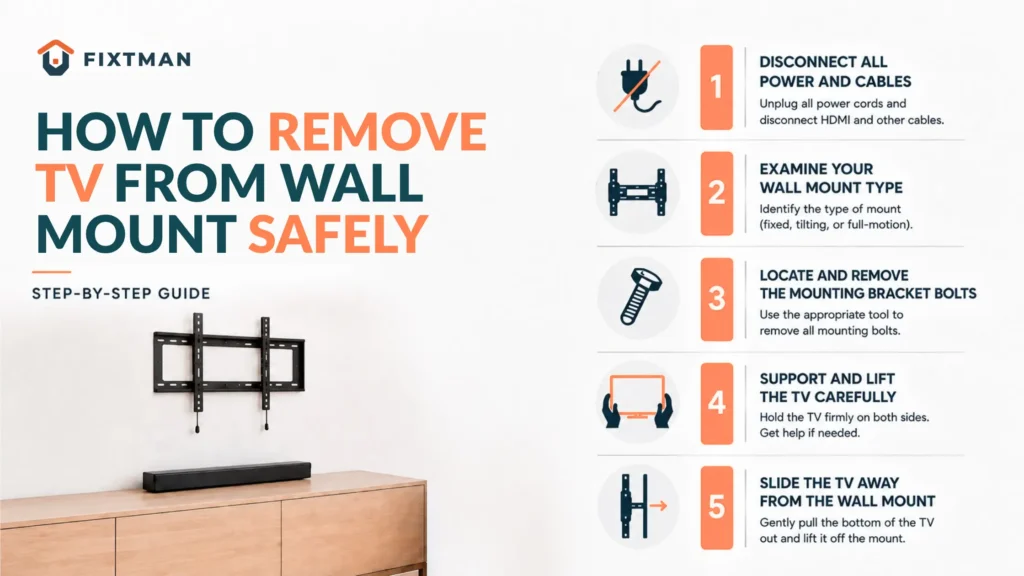
Start by unplugging your TV from the power outlet. This is non-negotiable for safety and prevents electrical hazards during the removal process. Make sure every cable connected to your TV is also disconnected, including HDMI, coaxial, and ethernet connections.
Give the TV a moment to fully power down and discharge. Wait at least 30 seconds before proceeding with removal. Some TVs retain power in their capacitors, so waiting is important for your personal safety.
Locate the Security Screws or Pull Strings/Levers
Look carefully at where your TV connects to the bracket on the mount. Most mounts have security screws that keep the TV from accidentally falling off the wall. Some mounts use release levers or pull strings instead of traditional screws.
Check both sides of the TV bracket carefully where it meets the mount frame. What type of fastening system does your mount use? This determines your next step in the removal process.
| Fastening Type | How to Identify | Removal Method |
| Security Screws | Visible bolts on bracket sides | Unscrew with appropriate driver |
| Release Levers | Small handles on bracket | Pull or push lever to release |
| Pull Strings | Cables or strings visible | Pull firmly to disengage lock |
| Combination Lock | Keyhole on bracket | Insert key and turn to unlock |
Release/Remove the Security Screws
If your mount has screws, use the appropriate screwdriver to remove them carefully. Turn each screw slowly and deliberately to avoid stripping the screw heads with excessive force. Keep all screws in a safe container so you don’t lose them.You might need them later for remounting.
Work methodically through each screw, removing them one at a time. Some mounts have different screw sizes, so pay attention to where each one came from. Keeping screws organized by location helps if you ever need to reinstall them later.
Unhook the TV From the Mount Bracket
Now comes the tricky part, separating the TV from the bracket itself. Most brackets have a hook or slot system that the TV slides into for security. Look for the locking mechanism that holds your TV on the bracket firmly.
Some TVs slide up to unhook, while others slide down or require a twisting motion. Check your mount’s manual if you’re unsure about the correct direction and technique. Apply steady, gentle pressure rather than forcing the connection apart suddenly.
Lift and Remove the TV
With the screws removed and the TV unhooked, you’re ready to remove it from the wall. Position yourselves on either side of the TV and lift together slowly and carefully. Keep the TV level as you lift to avoid stress on the screen and internal components.
Move it away from the wall carefully and set it down on a padded surface immediately. Never leave the TV hanging or partially suspended during this process. Take your time with this critical step to prevent accidents or damage to your expensive equipment.
How to Remove a TV From a Full-Motion Mount
Full-motion mounts are more complex but still removable with the right approach. These articulating arms require a slightly different technique than fixed or tilting mounts. The additional moving parts mean you need to be more careful about the removal sequence.
Pull the Arm Forward/Extend It
Start by fully extending the articulating arm away from the wall. Do this slowly and carefully to avoid sudden movements or accidents. Some arms might be stiff, especially if they haven’t been moved in a while due to age or inactivity.
Pull the arm out to its maximum extension smoothly. This gives you better access to the security mechanisms holding the TV in place. Never force the arm. If it feels stuck or difficult, check for any locking mechanisms that need to be released first.
Locate the Security Screws
Look where the TV connects to the arm’s bracket carefully. Full-motion mounts typically have multiple screws holding the TV in place for safety. Count how many screws you need to remove before proceeding with disconnection.
Make a mental note of the screw locations and sizes for reference. Some might be hidden behind decorative covers that need to be removed first before accessing the screws. Mark their locations if they’re not immediately visible to you.
Remove/Turn Out the Screws
Using the appropriate screwdriver, carefully remove each security screw systematically. Work from one side at a time to maintain balance and stability throughout the process. Have all screws accounted for and removed before proceeding to the next step.
Keep the screws organized and in a safe place where they won’t get lost or stepped on. Some people use tape to attach screws to a labeled surface for organization. Store them somewhere you’ll remember in case you need them for future remounting projects.
Unhook the TV
Once all screws are removed, the TV should be ready to unhook from the bracket. Look for the release points or sliding mechanisms on the bracket itself. Refer to your mount’s manual if you have it available for specific guidance.
When unsure, gentle wiggling while applying gradual pressure often releases the locking mechanism successfully. Never force the TV aggressively as this can damage both the TV and the mount bracket. Patience and steady pressure work better than brute force.
Lift and Remove the TV
With the TV unhooked, you’re ready for removal from the articulating arm. Have your helper positioned and ready to assist with the heavy lifting. Both of you should grip the TV securely from the sides without touching the screen.
Lift together slowly and smoothly without jerking or sudden movements. Keep the TV level and parallel to the ground as you remove it from the wall structure. Set it down gently on a padded surface away from the mount and wall area.
What to Do If the TV Won’t Come Off
Sometimes TVs get stuck on their mounts for various reasons that prevent easy removal. Don’t panic if this happens. There are solutions to try before calling for professional help.
Double check for hidden screws or locks carefully. Some security mechanisms are cleverly concealed behind trim rings or decorative covers. Look very carefully around the entire connection point for any mechanisms you might have missed initially.
Apply gentle pressure while twisting the TV slightly in different directions. Sometimes the bracket has a slight twist-lock mechanism that needs the right combination of pressure and rotation. Wiggle the TV gently while applying steady pressure toward the release direction indicated in the manual.
Call Fixtman if you’re completely stuck after trying these solutions. Our experienced technicians can safely remove your TV without damage to the equipment or walls. Why risk injury or TV damage when professionals can handle it quickly and safely?
Removing the Mounting Bracket From the Wall (Optional)
Once your TV is safely down, you might want to remove the bracket from the wall entirely. Only do this if you’re not planning to remount a TV soon or are relocating. Leaving the bracket up is perfectly fine if you plan to remount later.
Locate all the bolts or screws fastening the bracket to the wall studs carefully. Remove them one at a time while supporting the bracket weight with your other hand.
Once all fasteners are removed, carefully pull the bracket away from the wall. Set it down gently and inspect the wall for holes that need patching. Store the bracket and hardware in a safe place if you think you’ll use it again later.
Patching and Repairing the Wall After Removal
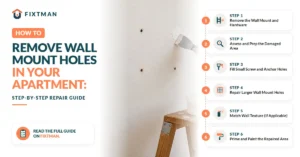
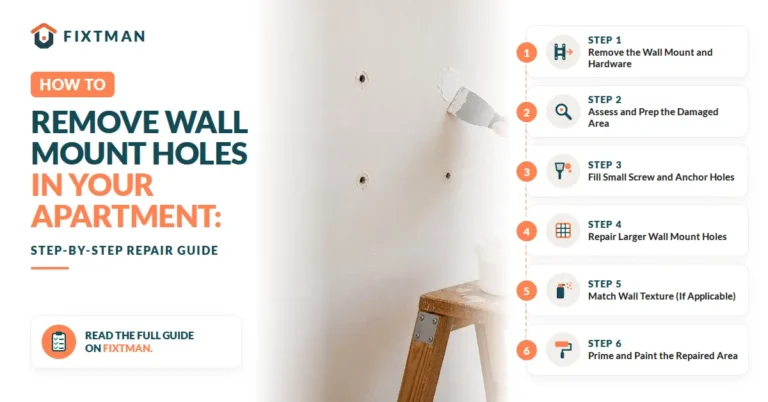
Removing a bracket leaves holes in your wall that need repair for a finished appearance. Restoring your wall to its original condition is easier than you might think with basic materials.
- For small holes (under 1 inch), use spackling compound from any hardware store. Apply it with a putty knife, smoothing it flush with the wall surface. Let it dry completely, then sand it smooth and paint over it to match your wall color.
- For larger holes, you might need a drywall patch kit from your local hardware store. These kits include everything needed for proper repair. Follow the kit instructions carefully for the best results and a professional-looking finish.
What to Do With the TV and Mount After Removal
Now that your TV and mount are down, you need to decide what to do with them. Your options depend on whether you’re keeping, selling, or disposing of the equipment responsibly.
If You’re Selling the TV:
If you’re selling the TV, protect it carefully during storage and transport to potential buyers. Keep it in its original box if possible, or wrap it carefully in blankets and padding.
If You’re Keeping the Wall Mount:
If you’re keeping the mount for future use, store it in a dry location with all hardware organized together. Bag up the screws and label them clearly by mount type. Keeping everything together is smart planning for potential remounting projects down the road.
When to Call a Professional
Sometimes DIY TV mount removal isn’t worth the risk. Call Fixtman if:
- The mount is high or difficult to access.
- Your TV is large or weighs over 80 lbs.
- You can’t identify the mount or release mechanism.
- The TV is stuck and won’t come off easily.
Our professionals have the right tools and expertise to remove your TV safely without damaging your equipment or walls.
Conclusion
Removing a TV from a wall mount is easier than you think when you follow the right steps and take your time. Whether you’re upgrading, relocating, or accessing cables behind your mount, this guide gives you everything you need for a safe removal. Contact Fixtman if you need professional assistance, We’re here to help with any mounting or wall repair needs.

Frequently Asked Questions
1. How do you get behind a mounted TV?
Carefully extend full-motion arms away from the wall or remove the TV entirely, then access the space behind it safely.
2. Do all TV wall mounts have security screws?
Most mounts do, but some use release levers or pull strings instead. Check your specific mount’s manual for details.
3. Can one person remove a TV from a wall mount safely?
It’s possible but risky; two people are strongly recommended to prevent accidents and safely handle the TV’s weight.
4. Will removing a wall mount damage my wall?
Removal leaves small holes that can be easily patched with spackling compound or drywall patches and painted over.
5. How do I remove a TV mount without the original instructions?
Identify your mount type, look for security screws or release levers, and use online resources or contact the manufacturer for guidance.
6. What should I do if my TV is stuck on the mount?
Check for hidden screws or locks, apply gentle pressure while wiggling, or contact a professional like Fixtman for safe removal.
7. How long does it take to remove a TV from a wall mount?
Most removals take 15-30 minutes depending on mount complexity and whether you work alone or with a helper.
8. Can I damage my TV during removal?
Yes, rushing or forcing the process can damage the screen. Take your time and follow each step carefully or hire professionals.
9. What tools do I absolutely need to remove a TV?
Screwdrivers, an adjustable wrench, a level, soft cloth for protection, and a helper are the essential items needed.
10. Should I remove the bracket from the wall after taking the TV down?
Only if you don’t plan to remount a TV soon; leaving the bracket up is fine if you want to eventually remount a television.