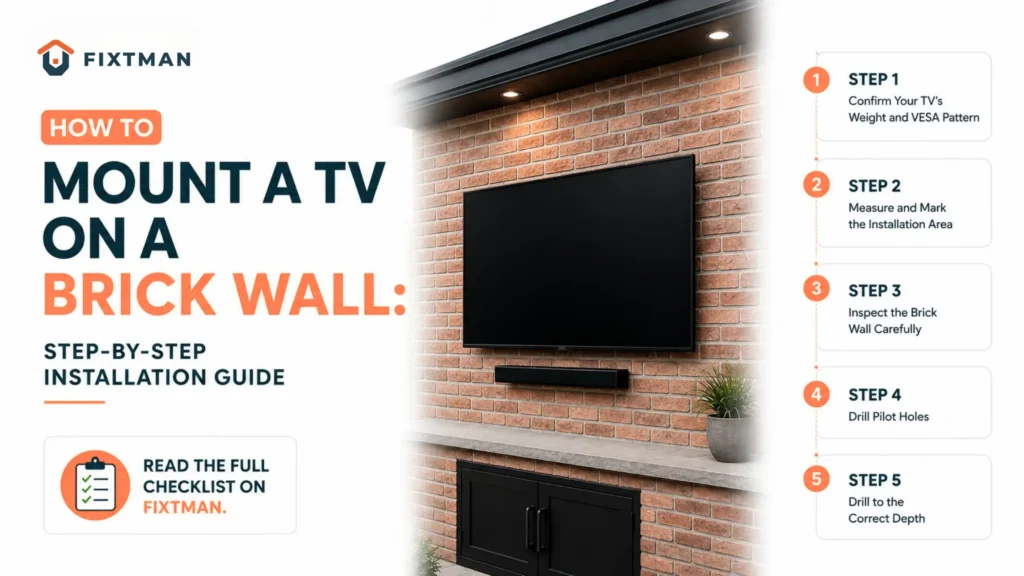

Mounting a TV on a brick wall creates a clean, modern look while providing strong, reliable support. With the right tools and installation method, the process is safe and straightforward.
This guide explains how to mount a TV on a brick wall, choose the right mount and anchors, drill safely, and avoid common installation mistakes.
How Do You Mount a TV on a Brick Wall? Step-by-Step Guide
Once you’ve selected the right location, gathered the necessary tools, and chosen a compatible TV mount, it’s time to begin the installation. Taking your time during each step will help ensure your TV is mounted securely and remains safe for years to come.
READ ALSO: Guide to Mounting a TV on a Concrete Wall
Step 1: Confirm Your TV’s Weight and VESA Pattern
Before opening the mounting kit, check two important details: your TV’s weight and its VESA mounting pattern. These specifications help you choose a compatible wall mount and ensure it can safely support your television. Using the correct mount makes the installation easier, more secure, and less likely to cause problems later.
The VESA pattern refers to the standardized spacing between the mounting holes on the back of your TV. Your wall mount must support both the weight and the VESA dimensions of your television.
Also remember to include the weight of any accessories, such as a soundbar mount, if they will be attached to the bracket.
Step 2: Measure and Mark the Installation Area
Accurate measurements prevent unnecessary holes in your brick wall. Use a measuring tape to determine where the center of your television should sit. Mark the desired height using a pencil or masking tape.
Next, hold the wall plate against the brick and use a level to ensure it is perfectly horizontal before marking every drill hole. Take a step back and visually confirm the position from your primary seating area. This is much easier than correcting the placement after drilling.
Measurement Checklist
Before drilling into the concrete wall, make sure you have chosen the best location for your TV. Check that the screen will be at a comfortable viewing height, centered on the wall, and free from nearby obstacles. You should also leave enough space for cables and accessories and ensure the TV placement works well with the surrounding furniture for a clean and balanced setup.
Step 3: Inspect the Brick Wall Carefully
Not every brick wall is suitable for mounting a heavy television. Inspect the wall for:
- Cracked bricks
- Loose mortar joints
- Water damage
- Signs of previous repairs
- Uneven brick surfaces
If you notice structural damage or crumbling masonry, repair the wall before proceeding. Mounting onto damaged brick can reduce the strength of the anchors and increase the risk of failure.
Step 4: Drill Pilot Holes
Drilling into brick requires patience and the right technique. Install a carbide-tipped masonry bit into your hammer drill and begin with a smaller pilot hole. Starting with a pilot hole helps guide the larger drill bit and reduces the chance of the drill wandering across the brick surface.
While drilling, hold the drill straight against the wall and apply steady, even pressure. Let the hammer drill do the work instead of forcing the bit into the concrete. Stop every so often to clear dust from the hole, as built-up debris can make drilling slower and reduce the strength of the anchor.
Step 5: Drill to the Correct Depth
Once the pilot holes are complete, switch to the drill bit size recommended by your anchor manufacturer. Each hole should be slightly deeper than the anchor itself so it can seat fully inside the brick.
A simple way to measure drilling depth is to place a piece of masking tape around the drill bit at the required depth. When the tape reaches the wall, you’ll know you’ve drilled deep enough.
After drilling, remove all dust using compressed air, a vacuum, or a small brush. Clean holes allow anchors to grip much more effectively.
Step 6: Install the Masonry Anchors
Insert the anchors into each drilled hole. If necessary, gently tap them into place using a rubber mallet or hammer until they sit flush with the wall.
Never force an anchor that feels oversized for the hole. If the fit is too tight, inspect the hole for dust or verify that you’ve used the correct drill bit size. Properly seated anchors provide the foundation for the entire installation.
Step 7: Secure the Wall Plate
Position the mounting bracket over the installed anchors and insert the mounting bolts. Tighten each bolt gradually using a socket wrench.
Instead of fully tightening one bolt at a time, alternate between bolts to distribute pressure evenly across the bracket. Once secured, place a level on top of the wall plate to verify that it remains perfectly straight.
A crooked bracket becomes much more noticeable after the television is mounted.
Step 8: Attach the Mounting Arms to the TV
Most wall mounts include two vertical mounting rails that attach directly to the back of the television. Use only the screws supplied with your wall mount or those recommended by the TV manufacturer.
Before tightening, ensure:
- The rails are aligned evenly.
- All screws are the correct length.
- Spacers are installed if required.
- Nothing blocks the TV’s ventilation openings.
Overtightening the screws may damage the threaded inserts on the back of the television.
Step 9: Lift and Hang the Television
This is not a one-person job. Ask another adult to help lift the TV safely. One person should guide the mounting arms onto the wall plate while the other supports the television’s weight.
Once the TV is seated on the bracket, engage any locking clips or safety screws included with your mount. These locking mechanisms prevent accidental lifting or movement after installation.
Step 10: Check Stability Before Letting Go
Before finishing the installation, inspect the TV mount carefully to make sure everything is secure. Check that the bracket sits flush against the concrete wall, all bolts are fully tightened, the TV is level, and there is no wobbling or movement. Also, make sure the locking mechanism is fully engaged. Gently push the TV in different directions to test its stability. If anything moves or feels loose, remove the TV and fix the problem before using it.
Why Is a Brick Wall a Great Choice for Mounting a TV?
Brick is one of the strongest building materials used in residential construction, making it an excellent surface for supporting the weight of modern televisions. Unlike drywall, which often depends on wall studs for support, solid brick provides consistent strength across the entire wall when the correct masonry anchors are used.
Mounting a TV on a brick wall offers many benefits. Brick can support large and heavy TVs with ease. It provides excellent stability and reduces movement or vibration. A brick wall also creates a strong, long lasting installation. It is suitable for both indoor and outdoor spaces. Plus, it gives your setup a clean and modern appearance.
That said, brick installation requires more planning than drywall installation. You’ll need masonry drill bits, appropriate anchors, and careful measurements before drilling your first hole.
What Tools Do You Need Before Mounting a TV on Brick?
Having the correct tools makes the installation safer, easier, and much more accurate.
Essential Installation Tools
Before starting, gather the following equipment:
- Hammer drill or heavy-duty power drill
- Carbide-tipped masonry drill bits
- Masonry anchors or concrete sleeve anchors
- TV wall mount compatible with your television
- Socket wrench or ratchet set
- Stud finder with wire detection (optional but recommended)
- Measuring tape
- Spirit level or laser level
- Pencil or masking tape for marking drill locations
- Vacuum or compressed air to remove brick dust
- Safety glasses
- Dust mask
- Work gloves
Using a hammer drill is highly recommended because it drills through brick much faster while reducing strain on both the drill and the masonry bit.
Which TV Mount Works Best on a Brick Wall?
Not every mounting bracket is suitable for every room. Choosing the right mount depends on how you watch television and how much flexibility you need after installation.
Fixed Mount
A fixed TV mount keeps the television close to the wall for a clean and modern look. It is the best choice if your seating is directly in front of the TV and you do not need to adjust the viewing angle. Fixed mounts work well in living rooms, bedrooms, and minimalist spaces where a simple setup is preferred.
Tilting Mount
A tilting TV mount allows you to angle the screen downward for a more comfortable viewing experience. It helps reduce glare from windows and overhead lights, making it a great choice for TVs mounted above fireplaces, on higher walls, or in bright rooms.
Full-Motion Mount
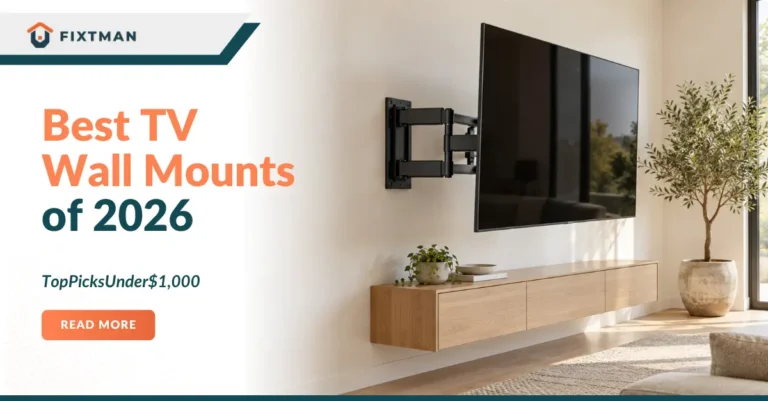
A full motion TV mount extends away from the wall and can swivel and tilt in different directions. It is a great choice for large family rooms, corner installations, and spaces with multiple seating areas. Since this type of mount puts more pressure on the wall, make sure both the mount and the concrete mounting hardware are rated to safely support your TV’s weight.
Should You Drill Into Brick or Mortar?
| Factor | Drill Into Brick | Drill Into Mortar |
| Strength | Strongest and most secure | Less strong than brick |
| Anchor Grip | Holds anchors firmly | May loosen over time |
| Durability | Long-lasting | Can deteriorate with age |
| Best For | Heavy TVs and permanent installations | Historic or decorative brick where repairs are preferred |
| Drawback | Leaves permanent holes in brick | Lower load capacity and reduced stability |
How Do You Choose the Best Location for Your TV?
Choosing the right location is just as important as installing the mount correctly. A poorly placed TV can lead to neck strain, glare, or an uncomfortable viewing experience.
Consider Viewing Height
For most living rooms, the center of the television should sit approximately at eye level when you’re seated. This creates a comfortable viewing angle during extended use.
Check Viewing Distance
The ideal distance depends on your television size and resolution. Larger 4K TVs can generally be viewed from closer distances than standard HD televisions.
Avoid Heat Sources
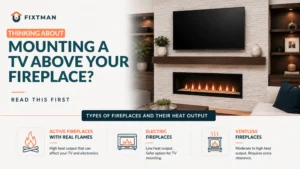
Do not mount your TV directly above a wood-burning fireplace unless the wall temperature remains within the manufacturer’s recommended operating range and appropriate heat protection is installed.
Look for Hidden Utilities
Before drilling into any masonry wall, verify that there are no electrical wires, plumbing lines, or gas pipes hidden behind the installation area. A wall scanner with live-wire detection can help reduce the risk of accidental damage.
How Can You Hide Cables on a Brick Wall?
Visible cables can detract from an otherwise clean installation. Fortunately, there are several ways to manage them without compromising safety.
Surface-Mounted Cable Raceways
Plastic cable raceways adhere to the wall and can be painted to match the brick or surrounding décor. They are one of the easiest solutions because they require no additional drilling into the masonry.
Decorative Cable Covers
Fabric sleeves or decorative cable covers group multiple wires together, making them less noticeable while keeping the installation organized.
In-Wall Cable Routing
Running cables inside a brick wall is more complex and may require drilling through masonry, conduit installation, or compliance with local electrical codes. Because of the added complexity, this option is often best handled by a professional installer.
Never run a standard TV power cord inside a wall unless it is specifically approved for in-wall use under your local electrical code.
Should You Mount the TV Yourself or Hire a Professional?
In most cases, drilling directly into solid brick is the best option because it provides a stronger and more secure hold than mortar. Brick grips anchors better, supports heavier televisions, and offers greater long-term durability for a safe installation.
Drilling into mortar may be suitable if you want to preserve decorative or historic brick or if a professional recommends it after inspecting the wall. Before drilling, always check for cracked bricks, loose mortar, or moisture damage, as weakened masonry can reduce the strength of the installation.
How Much Does It Cost to Mount a TV on a Brick Wall?
The total cost depends on whether you complete the installation yourself or hire a professional.
| Item | Typical Cost |
| TV Wall Mount | $ 40-$ 200 |
| Masonry Anchors | $ 15-$ 40 |
| Masonry Drill Bits | $ 15-$ 50 |
| Hammer Drill Rental | $ 30-$ 60 Per day |
| Cable Management Kit | $ 20-$ 80 |
| Professional Installation | $ 150-$ 400 |
Although DIY installation may save money, investing in quality hardware is always worthwhile. A high-quality mount and properly rated anchors provide better stability and peace of mind.
How Can You Keep Your TV Mount Secure Over Time?
Once your television is mounted, regular maintenance helps ensure it remains safe.
Inspect the Mount Every Few Months
Look for:
- Loose bolts
- Signs of movement
- Cracked masonry
- Rust or corrosion on hardware
- Damaged cable covers
Clean Around the Mount
Dust buildup behind the television can reduce airflow and make maintenance more difficult. Cleaning the area periodically also allows you to inspect the hardware more easily.
Recheck the Hardware
Temperature changes and normal household vibrations can gradually loosen mounting bolts over time. Tighten hardware according to the manufacturer’s recommendations during routine inspections.
Conclusion
Mounting a TV on a brick wall is a safe and durable option when you use the right tools, anchors, and installation techniques. By choosing the correct mount, drilling carefully, and following each step, you can achieve a secure, professional-looking installation that will last for years.
If you’d rather leave the job to an expert, Fixtman can help. Our experienced technicians provide safe, reliable TV mounting services, ensuring your television is installed securely and positioned for the best viewing experience. Contact us today for fast, professional installation you can trust.
Frequently Asked Questions
Can you mount a TV directly onto a brick wall?
Yes. Solid brick is one of the strongest surfaces for TV installation when paired with masonry anchors and a compatible wall mount.
Is brick stronger than drywall for mounting a TV?
Yes. Brick provides significantly greater structural support than drywall, making it ideal for mounting larger televisions.
Do I need a hammer drill?
While some heavy-duty drills can work, a hammer drill is strongly recommended because it drills through masonry faster and with less effort.
Should I drill into brick or mortar?
For most installations, drilling into solid brick provides the strongest and most durable anchor point. Mortar should only be used in specific situations where recommended by a professional.
Can I mount a large TV on brick?
Yes. Brick walls can support large televisions when the correct mounting bracket and appropriately rated masonry anchors are used.
How long does it take to mount a TV on brick?
Most homeowners can complete the installation in two to four hours, depending on the wall condition, TV size, and experience level.
Can I hide cables on a brick wall?
Yes. Surface-mounted cable raceways are the simplest solution, while in-wall cable routing may require professional installation and compliance with local electrical codes.
How often should I inspect my TV mount?
Inspect the mount at least twice a year and after moving the television or adjusting a full-motion bracket.