
Mounting a television on drywall is one of the most common home improvement projects, but many homeowners worry about whether the wall can safely support the weight. The good news is that you can install a TV on drywall securely by using the right mounting method and hardware. If you’d rather skip the guesswork, Fixtman provides professional TV mounting services for a safe and hassle-free installation.
Can You Install a TV on Drywall?
Yes, you can mount a TV on drywall, but the installation method depends on the television’s size, weight, and your wall’s construction. Some installations require mounting directly into wall studs, while others can safely use heavy-duty drywall anchors.
Is Drywall Strong Enough?
Drywall itself is not designed to support heavy loads without additional reinforcement. Lightweight televisions may work with heavy-duty anchors, but larger TVs should always be mounted into wall studs.
When Drywall Alone Isn’t Enough
Installing televisions directly into drywall without proper support increases the risk of failure. Wall studs provide the strongest and most reliable anchor points for heavy televisions. Using stud support also improves long-term stability.
Mounting Into Studs vs Drywall Anchors
Stud-mounted installations provide the highest level of strength and are recommended for most televisions. Heavy-duty drywall anchors are better suited for lightweight TVs when studs are unavailable.
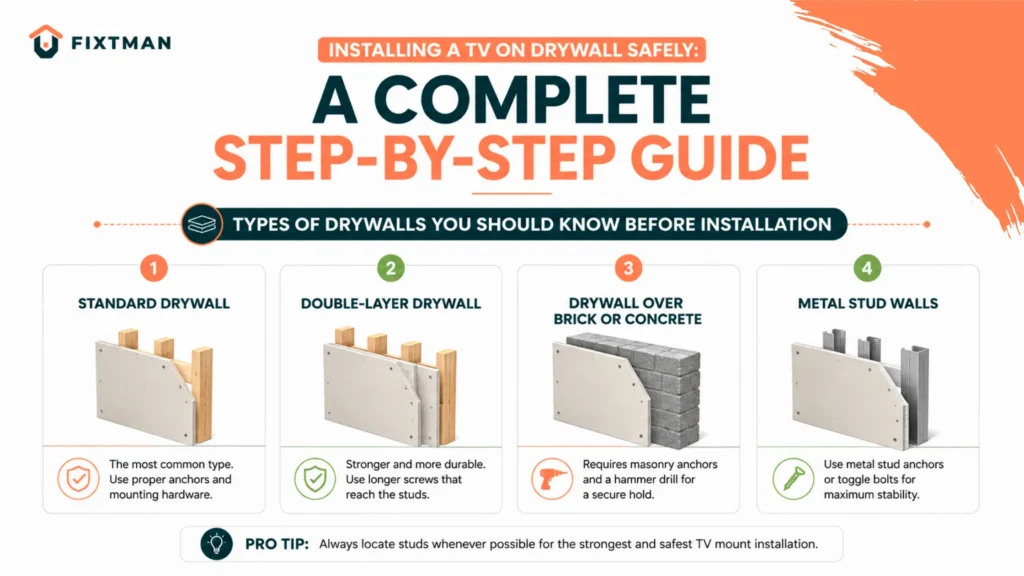
Types of Drywalls You Should Know Before Installation
Not every drywall wall is built the same, and understanding its construction helps determine the safest installation method. Wall thickness, framing materials, and hidden utilities all affect how your TV should be mounted.
Standard Drywall
- Standard drywall is the most common wall material found in modern homes.
- It provides a smooth finish but relies on wall studs for structural strength.
- Heavy televisions should not be supported by drywall alone..
Double-Layer Drywall
Some homes use double-layer drywall to improve sound insulation or fire resistance. Although thicker drywall offers additional strength, it should not replace proper stud support for heavy TVs. Longer mounting hardware may be required during installation. Always confirm the wall structure before drilling.
Drywall Over Brick or Concrete
- Some interior walls use drywall over a masonry surface instead of wood framing.
- These installations require masonry drill bits and concrete anchors rather than standard lag bolts.
- Mounting into the solid wall behind the drywall provides excellent support. Proper tools ensure a secure installation.
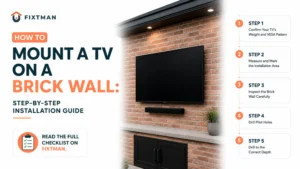
READ ALSO: How to Mount a TV on a Brick Wall Safely
Metal Stud Walls
- These studs require specialized anchors and installation techniques for maximum strength.
- Standard wood screws should never be used in metal framing.
- Commercial buildings and many apartments often use metal wall studs instead of wood
Tools and Materials You’ll Need
Having the right tools before you begin makes the installation process faster and more accurate
| Category | Items | Purpose |
| Essential Tools | Power drill, stud finder, level, measuring tape, socket wrench, screwdriver | Used for measuring, drilling, leveling, and installing the wall mount accurately. |
| Mounting Hardware | Lag bolts, toggle bolts, snap toggle anchors, washers, mounting bracket | Secures the TV safely based on the wall type and television weight. |
| Safety Equipment | Safety glasses, work gloves, pencil | Protects you during installation and helps with accurate marking. |
How to Install a TV on Drywall
Installing the wall mount correctly is the most important part of the entire proces. Follow these steps in order for a safe and professional-looking installation.
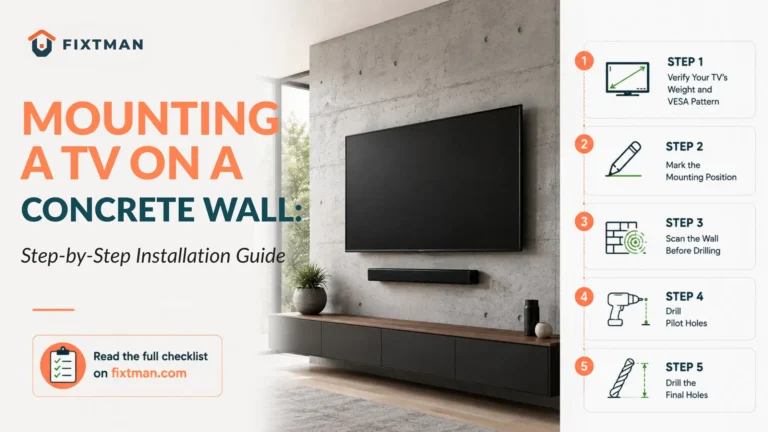
Step 1: Find the Wall Studs
Use a stud finder to locate the wooden or metal studs behind the drywall. Mark the center of each stud with a pencil for accurate drilling. Confirm the stud locations by scanning the area twice.
Step 2: Measure the Mounting Height
Decide where the center of the television should sit when viewed from your seating area. Eye-level placement usually provides the most comfortable viewing experience. Use a tape measure and level to mark the desired height.
Step 3: Mark the Drill Points
Hold the wall mount against the wall and align it with the stud marks. Use a level to ensure the bracket is perfectly straight before marking the holes. Mark all drilling points carefully with a pencil. Double-check the measurements before drilling.
Step 4: Drill Pilot Holes
Drill pilot holes at the marked locations using the correct drill bit size. Pilot holes make it easier to install lag bolts or anchors without damaging the wall. Keep the drill level while drilling. Clean away any drywall dust before continuing.
Step 5: Install the Wall Mount
Attach the mounting bracket using lag bolts if you are mounting into studs. If studs are unavailable, install the appropriate heavy-duty drywall anchors first. Tighten all hardware securely without overtightening. Verify that the bracket remains level after installation.
Step 6: Attach the TV Brackets
Install the mounting rails or brackets on the back of the television according to the manufacturer’s instructions. Use the correct screws for your TV’s VESA pattern. Tighten the screws evenly for a secure fit. Proper attachment keeps the television safely connected to the mount.
Step 7: Hang the TV Securely
Lift the television with assistance and place it onto the wall bracket. Engage all locking mechanisms or safety clips provided with the mount. Gently check that the television is seated correctly. Never force the TV into position if it does not align properly.
Step 8: Test Stability
After mounting, gently move the television to check for looseness or wobbling. Inspect all bolts, anchors, and locking mechanisms one final time. Make sure the mount feels solid and secure. A stability check helps prevent future problems.
Weight Limits to Remember
- Always check the weight rating of both the wall mount and the anchors.
- Never exceed the lowest weight limit in the installation system.
- Manufacturers usually recommend a significant safety margin for long-term use. Following these limits helps prevent accidents.
How to Choose the Right Drywall Anchors
Each anchor type supports different weight capacities and installation methods. The table below compares the most common drywall anchors to help you select the best option for your TV mounting project.
| Anchor Type | Best For | Weight Capacity | Recommended for TV Mounting? |
| Plastic Expansion Anchors | Lightweight décor and picture frames | Up to 20 lbs | No |
| Self-Drilling Anchors | Light to medium loads | 25–75 lbs* | Small TVs only |
| Toggle Bolts | Medium-sized TVs without studs | 50–100 lbs* | Yes |
| Snap Toggle Anchors | Heavier TVs on drywall | 100+ lbs* | Highly Recommended |
| Lag Bolts into Studs | All TV sizes, especially large TVs | 100+ lbs | Best & Safest Option |
How Much Weight Can Drywall Hold?
| Mounting Method | Typical Weight Capacity | Best Used For | Recommended for TVs? |
| Drywall Only (No Studs) | 10–20 lbs | Lightweight décor, picture frames, small shelves | No |
| Heavy-Duty Toggle Anchors | 50–100 lbs* | Medium-weight items and some smaller TVs | Yes, if within the anchor’s weight rating |
| Mounted Into Wall Studs | 100+ lbs** | Medium to large TVs, including full-motion mounts | Yes (Recommended) |
Get Your TV Mounted Securely with Fixtman
Installing a TV on drywall requires the right anchors, accurate measurements, and proper installation techniques. While stud mounting is the safest option, heavy-duty drywall anchors can support smaller TVs when installed correctly. If you’d rather skip the hassle, Fixtman’s experienced technicians provide secure TV mounting with clean cable management for a safe, professional finish. Book your Fixtman TV mounting service today.
Frequently Asked Questions
Can drywall hold a 65-inch TV?
Yes, but a 65-inch TV should usually be mounted into wall studs rather than relying on drywall anchors alone. Stud mounting provides the strongest and safest support.
What is the strongest anchor for drywall?
Snap toggle anchors are among the strongest drywall-only anchors available. They provide better holding power than standard plastic or self-drilling anchors.
How do I know if my TV is too heavy for drywall?
Check the weight rating of the wall mount and the anchors you plan to use. If the TV’s weight approaches the anchor limit, mount it into studs instead.
Can I mount a TV on drywall without damaging it?
Small holes are unavoidable during installation, but proper drilling and hardware selection minimize damage. Most holes can be repaired with filler and paint if the mount is removed.