
Certainly, it is vital to be aware of what kind of wall you’ll be dealing with when mounting a TV. No matter if you are getting ready to install a TV on drywall, brick, or concrete, each of these walls is different. Drywall is by far the most common type of wall surface in homes, but it cannot support heavy-duty screws without the aid of a specific type of anchor. It has higher compound surface friction, yet it calls for correct drilling methods and equipment to install a TV bracket correctly. In this guide, you will be able to explore ways of how to mount your TV on different wall types.

Can a TV Be Mounted on Any Wall?

Technically, yes. Almost any wall can hold a TV. But “can” doesn’t mean “easily” or “safely.” The method changes a lot.

It depends on what’s behind the surface. Drywall, brick, and concrete all behave differently. Some walls need simple anchors. Others need special tools and hardware. That’s why “any wall” doesn’t mean “any method.”

Why Does Wall Type Matter for TV Mounting?

Your wall type decides everything. It affects your tools, your anchors, even your safety. Here’s a quick breakdown:

Wall TypeWhat You NeedDifficulty
Drywall over studsMount screwed directly into studsEasy
Drywall, no studsHeavy-duty toggle bolts or anchorsMedium
Brick or concreteMasonry anchors + hammer drillHard
Plaster or lathExtra care, anchors rated for brittle wallsHard
Tile or stoneSpecialty anchors, slow and careful drillingHard

How to Mount a TV on Drywall

Now that you understand the key information about TV mounting, let’s walk through the process of mounting a TV on drywall.

READ ALSO: How to Install Drywall Properly Without Cracks or Gaps

Select the TV Mount

Select an appropriately sized and weighted mount for your television. It just has to be specifically made for the installation of the drywall.

Find the Studs

A stud finder is used in finding the studs’ location in the wall before fixing the shelf. They will offer support as they hold the weight of the TV; therefore, it is important to mark their location.

Position the Mount

Decide where you want your TV to be located. Think about the height and angle of the viewing before continuing. Level to give the mount the correct angle and mark the drills.

Drill Pilot Holes

If in some way the TV mount is in line with the studs, then holes should be drilled for the studs. In situations where studs cannot be used for screwing the drywall, use toggle bolts/molly bolts. These anchors expand inside the wall to give a fully locked position.

Attach the Mount to the Wall

Install the mount on the wall and fix it by placing screws and anchors on the surface of the mount. For fixing studs, use wood screws; for drywall fixings, use pertinent drywall anchors.

Attach TV Brackets

Install the brackets at the back part of your television. Besides, these will join the TV to the wall mount.

Mount the TV

Be very cautious when placing the TV and fixing it at the wall-mounted bracket; make sure it is well-fixed and in the right position. Twist any remaining screws or bolts to secure them.

READ ALSO: DIY vs Professional Installation: Key Differences in Cost, Quality, Safety, and Long-Term Value

How to Securely Mount a TV on Brick or Concrete Walls

While mounting TV on a brick wall or concrete wall might appear slightly trickier than drywall, it is almost as easy.

Materials Needed:

  • TV wall mount
  • Masonry drill and bits
  • Masonry anchors
  • Screws
  • Hammer drill (optional)
  • Level
  • Measuring tape
  • Screwdriver

Choose a Suitable Mount

Make sure that the wall mount will fit brick or concrete walls. Lighter models of TVs will fit regular mounts, while some TVs will need sturdier mounts and extra screws.

Plan Your TV Position

Before using the drills, decide where you wish to mount your television. First, note that the viewing angle of the TV, then level the mount so that the drill points will be in line. Use a level to do so.

Drill Pilot Holes

Utilize a masonry drill bit to drill holes through the current positions. If you are mounting TV on a concrete wall than you want to drill into it, then you need a hammer drill. Ensure that the depth of the holes allows the ability to fix the masonry anchors.

Insert Masonry Anchors

Set the masonry anchors into the holes that have been drilled. These anchors will increase in size when the screws are driven in, fixing the mount to the wall.

Secure the Wall Mount

Place the mount against the wall so that the anchors are aligned. Place the screws over the mount holes and into the anchors, and then screw them down. To ensure the mount is well placed and does not slip off easily, there are a few points to check.

Attach the TV Brackets

Screw the brackets to the back part of the television. These brackets should correspond to the holes located in a TV and the wall mount correspondingly.

Mount the TV

Remove the TV from the brackets and position it so that the brackets fit up on the wall mount. After fixing, check that all the screws are tight and the structure isn’t wobbling. 

What Do I Need to Know About Mounting a TV?

Mounting a TV isn’t complicated once you know the key checkpoints. Miss one of these, and you risk a wobbly mount, a damaged wall, or worse. Here’s a closer look at each one.

Know Your Wall Type First

Your wall type is the foundation of every decision that follows. Drywall, brick, concrete, and plaster all react differently to drilling and weight. Get this wrong, and even the best mount won’t hold properly.

Find the Studs, or Use Proper Anchors

Studs give you the strongest, most reliable hold for any TV mount. If there’s no stud in the right spot, heavy-duty anchors rated for your TV’s weight are the next best option. Skipping this step is one of the most common reasons mounts fail.

  1. TV Mounting for Curved and OLED Screens: What’s Different?
  2. How to Measure a Flat Screen TV for Wall Mounting the Right Way

Choose a Mount Rated for Your TV

Every mount comes with a maximum weight and size rating, and it needs to match your TV exactly. An underrated mount might hold for a while, then fail without warning. Always check the VESA pattern too, since it needs to line up with your TV’s mounting holes.

Check Power Access Before Drilling

Before you drill anything, map out where your outlets and wiring actually are. A stud finder with wire detection can help you avoid hidden electrical lines behind the wall. If the nearest outlet is too far from your mount spot, plan for an extension or an in-wall cable kit ahead of time.

Set the Height at Eye Level

The ideal height depends on your seating position, not just what looks good on the wall. Sit where you’ll normally watch TV, then aim for the center of the screen to land at eye level. Getting this wrong is a common cause of neck and shoulder strain over time.

Check Your Lease Before Making Changes

If you’re renting, drilling into walls can sometimes violate your lease terms. Some landlords are fine with small holes, while others charge for any wall damage at all. A quick message to your landlord beforehand can save you from losing part of your deposit.

DIY works well for straightforward walls with accessible studs and simple wiring. Brick, concrete, plaster, or anything structurally uncertain is usually best left to a professional installer.

READ ALSO: How to Remove a TV From a Wall Mount Safely

Tips for Mounting a TV on The Wall

Use the Right Tools

When drilling into the walls, always ensure that you use the right bits, screws, and anchors compatible with the type of the walls. This way you will get a good grip, and there will be no scratching of your wall.

Consider Cable Management

Determine how you will wrangle the cable before fixing the TV. This may mean having to install covers for the cables or using in-wall cable management kits in order to maintain a neat installation.

Check Weight Limits

Most TVs have a weight limit, which every TV mount comes with. It is very important to ensure that your TV’s weight does not go past this, especially when you want to mount it on your drywall. If some of these anchors are not enough, go for the rugged ones.

Follow Manufacturer Instructions

There may be individual guidelines for mounting each TV. Every time you are handling the part, always make sure you consult the manual to avoid making any mistakes and to guarantee a perfect fit of the part.

When installing a TV on different walls, including the dry walls, brick wall, or concrete wall, there is a need to be familiar with the walls strengths and weaknesses. Some of them require the added reinforcement with studs and augmenting anchors, while others are relatively rigid with specific types of drill bits and anchors required to mount.

Top TV Wall Mounting Mistakes Homeowners Still Make

Choosing the Wrong Mount Type

One of the most overlooked errors is selecting a wall mount that doesn’t match your TV’s size, weight, or viewing needs. There are multiple mount types available in 2025—fixed, tilting, full-motion—and each serves a different purpose.

A fixed mount might be sleek, but if your TV is placed above eye level or in a bright room with glare, you may need a tilt or articulating mount instead. Conversely, using a full-motion mount when you only ever watch from one angle could be a waste of money and space.a successful installation—and the first step in avoiding unnecessary problems.

Mounting Without Checking Stud Locations

Here’s a classic mistake that still plagues homeowners in 2025: drilling without verifying stud placement. Mounting a heavy television directly into drywall without proper anchoring is dangerous and can lead to the TV crashing down within days—or even hours.

Even though many wall mounts now include advanced instructions and built-in levels, relying solely on guesswork or visual cues is a recipe for disaster. This is one of the most preventable TV wall mounting mistakes out there.

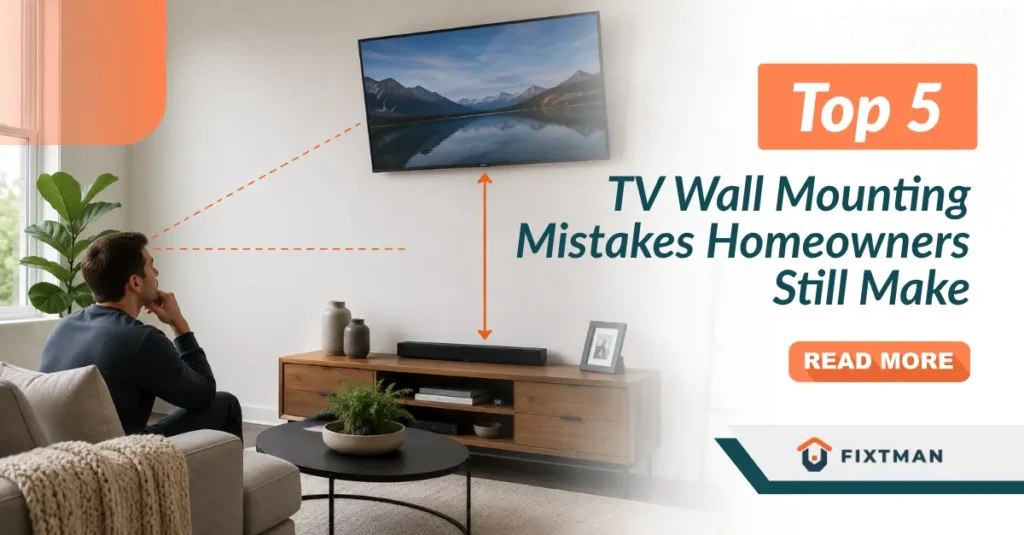
Incorrect TV Height and Angle

Few things ruin the viewing experience faster than a TV mounted too high or tilted incorrectly. Watching at the wrong angle can cause neck strain, eye fatigue, and a poor cinematic experience.

The rule of thumb is that the center of your screen should align with your eye level when seated. But many homeowners still place their TVs too high—especially when mounting above fireplaces or on large walls.

Poor Cable Management

Even with the thinnest mounts and sleekest TVs, visible wires can quickly ruin the aesthetic. One of the most common TV wall mounting mistakes is failing to plan for proper cable concealment.

In 2025, clean cable management is easier than ever, with options like in-wall cable routing kits, paintable cord covers, and wall plates with brush openings. Still, homeowners often skip this step, leaving HDMI, power, and speaker cables dangling in full view.

Skipping Professional Help When It’s Needed

DIY projects can be rewarding, but mounting a large, expensive TV on your own has real risks. Many homeowners attempt installations without the right tools, safety precautions, or knowledge—leading to misaligned screens, structural damage, or worse.

Sometimes, calling in a professional TV mounting service is the smarter move especially when dealing with:

READ ALSO: How to Choose a Reliable TV Mounting Service Near You

Conclusion

Mounting a TV safely starts with understanding the wall surface you’re working with. Whether you’re installing on drywall, brick, or concrete, using the correct anchors, drill bits, and mounting hardware helps ensure a secure and long-lasting setup while protecting both your wall and your television. If you’d rather leave the installation to experienced professionals, Fixtman offers reliable TV mounting services to help you achieve a safe, level, and hassle-free installation.

TV Wall Mounting Service

Categorized in:

Tv Wall Mounting,