Watching movies at home has never been better. With the right setup, you can enjoy theater-quality sound and picture without leaving your house. The good news is that building a home movie theater doesn’t have to be complicated. Whether you’re converting a spare room or upgrading your living room, this guide walks you through every step of the process.
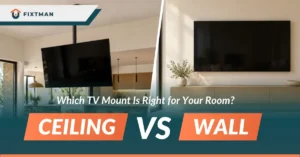
READ ALSO: TV Mounting Pros Cons Wall Mount, Which Setup Is Best?
What You Need Before Setting Up a Home Movie Theater
Choose the Right Room
The best home theater room is one with minimal outside noise and good control over lighting. A spare room, basement, or bonus room often works best. If you’re using a living room, don’t worry. You can still create an excellent movie-watching experience with the right placement and lighting adjustments.
Determine Your Budget
Home theater costs can vary significantly depending on the equipment you choose. A basic setup may cost less than $1,500, while a premium setup with a projector, surround sound, and theater seating can cost several thousand dollars. Setting a budget early helps narrow your options and prevents overspending.
Plan Your Room Layout
Think about where the screen will go first. Then determine where seating, speakers, and equipment will be placed. It’s also smart to plan cable routes before installation. This keeps the room clean and reduces visible wires.
Step-by-Step to Build a Home Movie Theater at Home
Choose Your Display
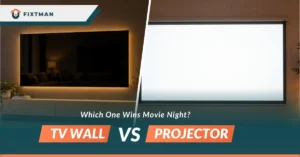
The display is the centerpiece of your home theater. TVs are often easier to install and provide excellent brightness for rooms with natural light, while projectors create a larger image and a more cinematic feel. When choosing between the two, consider your room size, viewing distance, lighting conditions, and budget to find the option that best matches your entertainment goals.
Build Your Audio System
Audio is what transforms a simple viewing setup into a true home theater experience. A quality sound system helps create immersion through clear dialogue, detailed sound effects, and powerful bass. Whether you choose a simple soundbar, a 2.1 speaker system, or a full surround sound setup, proper speaker placement and balanced audio are essential for creating realistic and engaging movie nights.
Choose a Media Source
Your media source determines how you’ll access movies, TV shows, sports, and other entertainment. Streaming devices are popular because they provide convenient access to services like Netflix and Disney+, while Blu-ray players offer superior picture and audio quality. Gaming consoles can also serve as all-in-one entertainment hubs by combining gaming, streaming, and media playback in a single device.
Optimize Seating for the Best Viewing Experience
Comfortable seating is just as important as the technology itself. Seats should be positioned at an appropriate distance from the screen and arranged so every viewer has a clear line of sight. Whether you’re using a couch, sectional, or dedicated theater recliners, a comfortable seating layout encourages longer viewing sessions and enhances the overall experience.
Control Lighting and Room Ambiance
Lighting has a direct impact on picture quality and viewing comfort. Excessive sunlight or bright indoor lighting can create glare and reduce screen visibility, making movies less enjoyable. Blackout curtains, dimmable lighting, and carefully placed light fixtures can help create a darker environment that improves contrast and contributes to a more cinematic atmosphere.
Improve Room Acoustics
Room acoustics affect how sound travels and how clearly you hear dialogue and effects. Hard surfaces such as bare walls, tile floors, and large windows can create echoes and unwanted reflections. Adding rugs, curtains, upholstered furniture, or acoustic panels can help absorb excess sound and create a cleaner, more balanced listening experience without requiring expensive equipment upgrades.
Organize Cables and Accessories
A clean setup not only looks better but also improves safety and usability. Loose cables can create clutter and make maintenance difficult, while organized wiring keeps equipment accessible and protected. Using cable management solutions, surge protectors, and universal control systems helps create a professional-looking setup that is easier to use and maintain over time.
Calibrate Your Home Theater System
Calibration ensures that all of your equipment performs at its best. Adjusting picture settings such as brightness, contrast, and color accuracy can improve image quality, while speaker calibration helps balance audio throughout the room. Taking a few extra minutes to fine-tune your system can make a noticeable difference in both visual and audio performance.
Conclusion
Setting up a home movie theater involves choosing the right display, audio system, seating arrangement, lighting, and room layout to create an immersive viewing experience. While many homeowners can handle parts of the setup themselves, proper TV placement and installation play a major role in both comfort and performance.
If you want a clean, secure, and professionally installed setup, Fixtman’s TV wall mounting service can help ensure your TV is mounted at the ideal viewing height, with proper positioning and cable management.
Frequently Asked Questions
How much does it cost to set up a home movie theater?
The cost depends on the size of the room and the equipment you choose. Basic setups may cost less than $1,500, while advanced systems with projectors, surround sound, and premium seating can cost several thousand dollars.
Is a TV or projector better for a home movie theater?
Both can work well depending on your needs. TVs generally provide better brightness and easier installation, while projectors offer larger screen sizes and a more cinematic viewing experience.
What size screen is best for a home theater?
The ideal screen size depends on your viewing distance and room dimensions. Larger screens typically create a more immersive experience, but they should still allow viewers to comfortably see the entire image.
Do I need surround sound for a home theater?
Surround sound is not required, but it can significantly improve immersion. Even a basic speaker system or soundbar can provide a noticeable improvement over standard TV speakers.
How can I improve sound quality in my home theater?
Adding soft furnishings such as rugs, curtains, and upholstered furniture can help reduce echoes and improve audio clarity. Acoustic panels can provide additional improvements in rooms with significant sound reflections.
Can I create a home theater in my living room?
Yes. Many homeowners build excellent home theater setups in living rooms by optimizing screen placement, speaker positioning, lighting control, and seating arrangements.
What is the best lighting for a home movie theater?
Dimmable lighting and blackout curtains are among the most effective solutions. They help reduce glare, improve picture quality, and create a more comfortable viewing environment.
Should I mount my TV or place it on a stand?
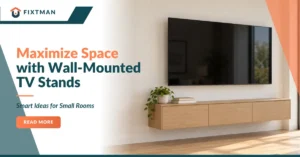
Wall mounting is often preferred because it saves space, creates a cleaner appearance, and allows the screen to be positioned at the ideal viewing height. The best option depends on your room layout and personal preferences.